
iPhone & iPad · Features
Layouts and crop
Rearrange the multiview on your iPhone or show only the cameras you need.
Your mixer delivers a fixed multiview. With layouts the app rearranges the fields on the iPhone – for example only your four cameras, large, without preview and program.
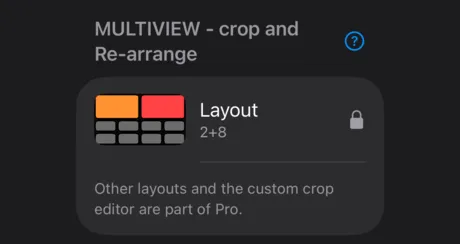
Choose a layout
- Open Settings → MULTIVIEW - crop and Re-arrange → Layout.
- Choose an arrangement, e.g. 2+8 (bottom), 1+9 or 3+4.
In landscape the app only uses layouts at least 16:9 wide.
Your own layout
With Set up custom multiview you build your own grid of 1–4 columns and 1–6 rows. For each field you set which part of the multiview it shows. Turn it on with Use this layout.
Tip: On an iPhone mounted on the camera, a 2×2 layout with your four cameras is often the clearest.
Pro
More layouts and the custom crop are part of Pro. In the free trial you see a lock and use the standard 2+8 layout – see Free trial and Pro.
When are there no layouts?
Layouts are only available when your multiview format belongs to the 2+8 family – not with 2×2 or 4×4.